Color Season Quiz With a Photo: How Reliable Is It?
 Reviewed by Alexandra Gilmore
One selfie cannot prove a color season, because the phone, room, makeup, and background all alter the evidence. Prepare two clean photos in indirect daylight, compare whether the result repeats, and confirm the suggested palette with colors held beside your actual face.

Key Takeaways
A photo color season quiz can give you a useful starting point, but it cannot prove your season from one selfie. Treat the result as a hypothesis. A result becomes more convincing when it repeats across two well-prepared photos and agrees with colors you can compare beside your face.
💫 Discover Your Complete Color Palette
Ready to discover all the colors that make you look radiant? Our comprehensive color analysis will reveal your complete personal palette - perfect for hair, makeup, and wardrobe decisions.
Find My Season →- Use indirect daylight, a clean camera lens, a neutral background, and an unedited image.
- Remove foundation, blush, bronzer, and color filters before you take the photo.
- If your hair is dyed, decide whether you want guidance for your natural coloring or your current look.
- Repeat the test with a second photo. One result is a clue; a repeatable result is better evidence.
- Check the suggested palette with real fabric near your face before you rebuild a wardrobe around it.
For the next diagnostic or service-choice step, continue with the companion article “What Is My Color Season Quiz (Step-by-Step)”, which keeps the two closely related questions distinct.
📚 Recent Articles
How Reliable Is a Color Season Quiz With a Photo?
A photo quiz is reliable enough to narrow the possibilities when the image is color-accurate and the result survives a reality check. It is less reliable as a final answer because the quiz sees a processed image, not your face under changing fabrics. Lighting, automatic camera corrections, makeup, dyed hair, exposure, and even a colored wall can alter the information in the file.
There is no honest universal accuracy percentage for every photo quiz. Tools use different methods, ask different follow-up questions, and sort people into different numbers of seasons. A result such as “Soft Autumn” may be a sensible first lead, but the label should earn your trust through repetition and comparison.
Use the result for low-risk decisions first. Try one top, scarf, lipstick, or pair of glasses in the suggested direction. If the palette makes your skin look more even and the colors are easier to combine with your features, keep exploring it. If it clashes with what you see in daylight, do not force the label to fit.
What a Photo Quiz Can and Cannot See
A quiz can read visible relationships in the uploaded image. Depending on the tool, it may compare the apparent depth of your skin and hair, the warmth or coolness of recorded colors, and the contrast between features. Those observations can help it suggest a broad season or a smaller group of likely seasons.
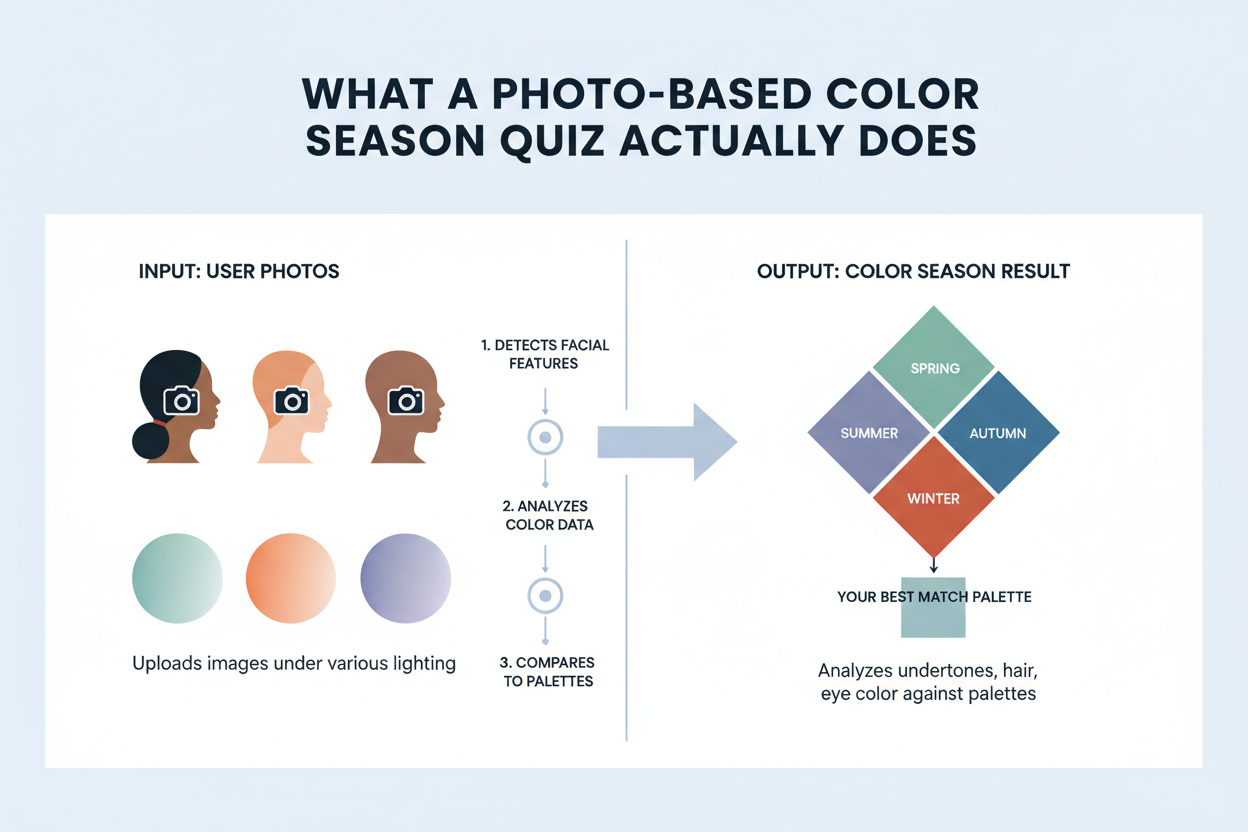
The photograph does not show how your face reacts as warm, cool, light, deep, soft, and bright fabrics are changed one after another. That comparison is the useful part of physical draping. It reveals relative effects: whether a color strengthens shadows, makes surface redness more noticeable, or lets your face remain the focus.
The quiz also cannot know which parts of the picture are natural without context. Blonde highlights may be read as your hair depth. Foundation may be read as your skin color. A vivid shirt or painted wall may reflect color toward the jaw. Even good image analysis cannot recover information that the original photo did not preserve.
This is why a photo result and an undertone result are not interchangeable. Undertone is one part of seasonal analysis; depth, contrast, and softness or clarity also matter. If those terms are still confusing, start with the at-home skin undertone test, then return to the season result.
How to Take a Better Color Analysis Photo
You do not need studio equipment. You need even light and fewer competing colors. Set up the photo before opening the quiz so you are not tempted to use the first selfie in your camera roll.
- Choose indirect daylight. Stand facing a bright window or sit in open shade outdoors. Keep direct sun off your face because strong highlights and shadows hide color differences.
- Turn off artificial lights. A ceiling light mixed with window light can place two different color casts on the same face. Use one light source.
- Remove color-changing products. Skip foundation, tinted sunscreen, blush, bronzer, lipstick, self-tanner, and colored contact lenses for the diagnostic photo.
- Use a quiet background. A light gray, off-white, or neutral wall is useful. Avoid standing beside a strongly colored curtain or wall that reflects onto your skin.
- Show the face and neck. Pull back hair if it covers the cheeks. Keep the camera near eye level and far enough away to avoid the stretched proportions of a very close selfie.
- Clean the lens and focus on the eyes. A soft, smeared image makes feature boundaries harder to read. You do not need portrait mode or beauty smoothing.
- Upload the original. Do not add a filter, edit warmth, boost saturation, or use a screenshot of another photo.
If possible, ask someone to use the rear camera. It often gives a cleaner image than the front camera, but light and lack of filters matter more than the camera choice. A clear front-camera photo in neutral daylight is more useful than a high-resolution rear-camera shot under a yellow lamp.
Good Photo vs. Bad Photo: A Quick Check
| Check | Better input | Riskier input |
|---|---|---|
| Light | Even, indirect daylight from the front | Direct sun, flash, or mixed window and lamp light |
| Skin | Bare or close to bare | Foundation, bronzer, blush, or self-tanner |
| Color | Original image with natural camera settings | Beauty mode, filter, edited warmth, or boosted saturation |
| Background | Neutral and not strongly reflective | Bright painted wall, colored curtain, or busy pattern |
| Framing | Face and neck visible, camera near eye level | Extreme close-up, tilted angle, or part of the face hidden |
| Sharpness | Eyes in focus and skin detail visible | Motion blur, dirty lens, or aggressive portrait smoothing |
Watch for a simple warning sign: if a white or gray object in the scene looks obviously yellow, blue, green, or pink, the image probably has a color cast. Retaking the photo is safer than trying to correct it by eye.
Why White Balance Can Change Your Result
Your camera has to decide what neutral color should look like under the available light. That decision is called white balance. The camera may warm a cool scene, cool a warm scene, or shift green and magenta to make the picture look natural. The correction can be pleasant without being neutral enough for color analysis.
Adobe’s Lightroom documentation separates these controls clearly: temperature changes the warmth or coolness of an image, while tint changes the balance between green and magenta. Those are also directions a color quiz may use when it interprets the apparent temperature of skin, hair, and eyes.
Automatic white balance can also vary between shots. Move closer to a window, include more wall in the frame, or change the color of your shirt, and the phone may make a different correction. Two selfies taken seconds apart can therefore contain slightly different skin colors.
Do not manually “fix” the image until your skin looks right. That adds another subjective decision. Retake the photograph in even daylight, include a neutral background, and compare the two files. If the result changes when the photo changes, the quiz is telling you that its evidence is not stable yet.
Dyed Hair, Makeup, and Other Complications
Dyed hair does not make a photo quiz useless. It changes the question. A quiz that sees your current hair may suggest colors that harmonize with your present appearance, while a test based on your roots and bare face may point closer to your natural coloring.
Decide what you want before you upload:
- For a natural-season estimate: pull heavily dyed hair away from the face, show visible roots if practical, and answer any hair questions using your natural color.
- For styling your current look: include the dyed hair and treat the result as guidance for the combination you wear now.
Highlights can raise contrast and add warmth around the face. Going gray can lower or change the apparent contrast between hair and skin. Neither change automatically rewrites every useful color in your wardrobe, but it can affect which part of a palette feels easiest to wear.
Makeup has a similar effect. Foundation covers surface variation; blush and bronzer add temperature; lipstick changes facial contrast. Take the diagnostic photo without them. You can take a second, styled photo later to see how your everyday look changes the recommendation, but do not use that second result as proof of your underlying undertone.
Glasses, colored contacts, strong facial redness, deep shadows, and recent sun exposure may also affect the visible balance. If the result seems strange, remove the variable you can control and retest. The camera undertone test guide explains why a camera reading should remain one clue rather than the whole diagnosis.
Repeat the Test Before You Trust the Result
A single upload gives you one answer from one set of conditions. Repeatability is a better test of reliability. Take two original photos in similar indirect daylight, preferably on separate occasions, and run both without changing the answers you know are factual.
| What happens | How to read it | Next step |
|---|---|---|
| The same season appears twice | The result is a reasonable working hypothesis | Test several colors from that palette near your face |
| Neighboring seasons appear | The broad direction may be right, but one quality is unclear | Compare the difference, such as soft vs. clear or light vs. deep |
| Opposite temperature families appear | Lighting, white balance, makeup, or hair may be shifting the image | Retake both photos under one neutral light source |
| Every upload gives a different answer | The tool is not producing stable guidance for these inputs | Stop repeating the same quiz and use controlled draping or another method |
Do not take ten quizzes and choose the label that appears most often. Many tools may share the same weakness or use similar simplified rules. Two carefully prepared photos plus a direct fabric comparison tell you more than a pile of rushed results.
Check the Result With Real Colors
The easiest reality check is to compare colors from the suggested palette with nearby alternatives. Use plain shirts, scarves, towels, or fabric. Sit in the same daylight you used for the photo, remove makeup, cover brightly dyed hair if you are checking natural coloring, and hold one color at a time below the chin.
Look at the face, not at which fabric you like better. A useful color tends to let the eyes and facial features remain clear without making uneven redness or shadows more noticeable. A less useful color may reflect strongly onto the jaw, pull attention away from the face, or make you feel that you need extra makeup to balance it.
Start with two or three controlled comparisons rather than a full rainbow:
- a warmer off-white beside a cooler white;
- a warm brown or camel beside a cooler charcoal or blue-gray;
- a softer muted color beside a clearer, more saturated version of a similar hue.
No single pair assigns a season. You are looking for a pattern across temperature, depth, and intensity. Take notes before checking the quiz label again. That keeps the label from deciding what you think you see.
If the suggested season repeatedly loses these comparisons, revisit the broader color season quiz guide. If the comparisons are close and you want a more precise answer, read the distinction between a color palette quiz and professional draping.
Privacy Before You Upload a Face Photo
A face photo is personal data. Before uploading it to any quiz, read that service’s privacy policy and look for plain answers to four questions: what the image is used for, how long it is kept, whether it is shared with another processor, and how you can request deletion. If the policy does not answer those questions, choose a different method.
Your original photo may also contain location metadata added by the camera. Apple’s photo-safety guide explains how location coordinates can be embedded in a photo and how to remove or stop collecting them on Apple devices. Other phones and photo apps have their own location controls.
Use a new photo made for the test rather than a family picture or an image that includes another person. Keep identifying documents, house numbers, school names, and private rooms out of the background. Removing unnecessary context does not affect the analysis, and it gives the service less personal information than a casual camera-roll upload.
Do not assume that “free” means the same privacy practice everywhere. Price, photo retention, account requirements, and deletion options are separate questions. Verify them for the exact tool you plan to use.
When a Photo Quiz Is Enough
A well-prepared photo quiz is enough when you want a starting palette, the repeated result is stable, and real colors support the same direction. You can use that working result to test a few inexpensive pieces, organize colors you already own, or decide which season guides deserve a closer look.
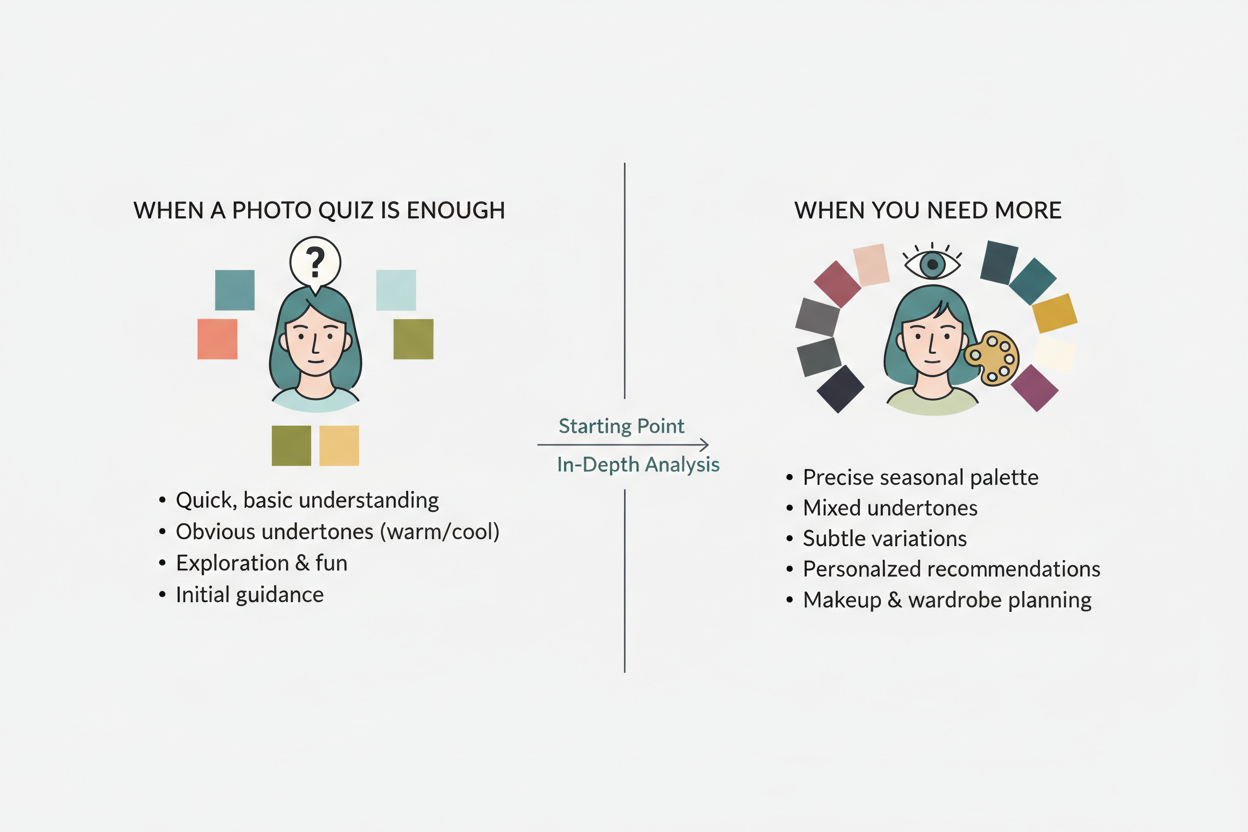
You may want a more detailed analysis when repeated photos point to different temperature families, when dyed hair or surface redness makes the result hard to interpret, or when two neighboring seasons remain equally plausible after fabric tests. Professional draping is also reasonable before an expensive wardrobe change if you want another person to control the comparisons and explain the result.
The useful question is not whether a photo quiz is “real” or “fake.” It is whether the result is stable enough for the decision you are making. Keep the stakes proportional to the evidence. A free test can guide your next experiment; it should not pressure you to replace everything you own.
People Also Ask
Can a photo quiz identify my color season accurately?
It can suggest a likely season when the photo has even daylight, no filter, little or no makeup, and a clear view of the face and neck. The result is more credible if a second prepared photo produces the same season and real fabric comparisons support it. One upload alone is not enough to guarantee the label.
What lighting is best for a color analysis photo?
Use soft, indirect daylight from one direction. Face a window or stand in open shade, turn off indoor lights, and avoid direct sun or flash. The goal is even illumination without a strong yellow, blue, green, or pink cast.
Should I upload a photo with my natural or dyed hair?
Use natural hair or visible roots if you want an estimate based on your natural coloring. Include dyed hair if you want suggestions for your current appearance. When the difference is large, try both and label the results for different purposes rather than treating one as a correction of the other.
Why does my color season change between photos?
The photos may differ in white balance, exposure, light direction, background reflection, makeup, or the amount of hair visible. Compare the files side by side. If skin or a neutral wall changes color between them, retake the photos before comparing quiz results.
Common Questions: The Ultimate Color FAQ
Is a free color season quiz with a photo useful?
Yes, as a first filter. It can give you a palette direction to test without a large commitment. The word “free” does not tell you how the tool handles photos or how detailed its season system is, so check both the method and privacy policy before uploading.
Can I wear makeup in the photo?
For the diagnostic photo, skip products that change skin color or facial contrast, especially foundation, bronzer, blush, contour, and lipstick. If you cannot remove everything, use the least color-changing look you can and note that the result reflects the styled image.
Does camera quality matter?
It matters less than lighting, color processing, and focus. A recent phone in indirect daylight can provide a usable image. A more expensive camera under mixed artificial light can still record misleading color. Clean the lens, avoid beauty modes, and keep the eyes in focus.
Should I use the front or rear phone camera?
Use the rear camera if someone can take the photo at eye level, since it may preserve more detail. The front camera is fine when it gives you a sharp, unfiltered image without smoothing. Do not trade neutral light for a nominally better camera.
What if the quiz places me between two seasons?
Check whether the two seasons are neighbors and identify the quality that separates them. You may need to compare soft with clear colors, light with deep colors, or warmer with cooler versions. Test that difference directly instead of repeating the full quiz with random photos.
Is my uploaded photo stored?
There is no single answer for every service. Read the specific provider’s policy before uploading and look for retention, third-party processing, deletion, and model-training terms. If you cannot find a clear answer, do not upload the photo. You can still explore seasonal color through the season finder and controlled fabric comparisons.