Skin Undertone Test With Camera: Pros and Cons
 Reviewed by Alexandra Gilmore
A camera undertone test is fast, but auto white balance, HDR, filters, and room light can alter the very colors it claims to measure. Prepare the image carefully, compare multiple results, and confirm any warm, cool, neutral, or olive answer with real fabric or foundation.

Knowing your skin undertone changes everything—from the foundation shades that actually match your neck to the clothing colors that make your complexion glow. The growing wave of AI-powered tools now lets you open your camera, hold still for a few seconds, and walk away with a warm, cool, or neutral verdict. That convenience is genuinely useful, but it comes with real limitations worth understanding before you trust the result.
💫 Discover Your Complete Color Palette
Ready to discover all the colors that make you look radiant? Our comprehensive color analysis will reveal your complete personal palette - perfect for hair, makeup, and wardrobe decisions.
Find My Color Palette →This article breaks down exactly how a skin undertone test camera works, where the technology excels, and where it can quietly mislead you. By the end, you will know:
- What AI camera tools analyze when they read your skin tone and undertone from a photo
- Which conditions produce reliable results and which quietly skew the reading
- How camera-based detection compares to classic DIY methods like the vein check and the jewelry test
- Practical steps to squeeze the most accuracy out of any camera-based tool you use
Camera undertone tools have matured quickly. Platforms like Perfect Corp's shade finder can analyze a live camera feed, detect skin tone from a single click, and return foundation recommendations in seconds. Other services extend that idea further—cross-referencing undertone with hair color and eye color to suggest a full flattering palette. That is a meaningful upgrade over guessing under a department-store fluorescent light.
At the same time, makeup educators and colorists consistently point out that a phone camera captures reflected light, not the underlying pigment in your skin. Lighting temperature, screen brightness, and even the specific camera sensor in your device can all shift what the algorithm sees—sometimes enough to flip a borderline neutral result from warm to cool.
The sections that follow cover each of these dynamics in plain language so you can use camera undertone tests as the efficient starting point they are—while knowing exactly when to double-check with a mirror and natural daylight.
📚 Recent Articles
How Camera-Based Skin Undertone Detection Actually Works
The pipeline behind a camera-based skin undertone test is more structured than it might appear from the user side. When you position your face inside the on-screen guide circle and hold still, the tool captures a frame—or a short burst of frames—and passes the image data to an AI model trained on a large library of labeled skin tones.
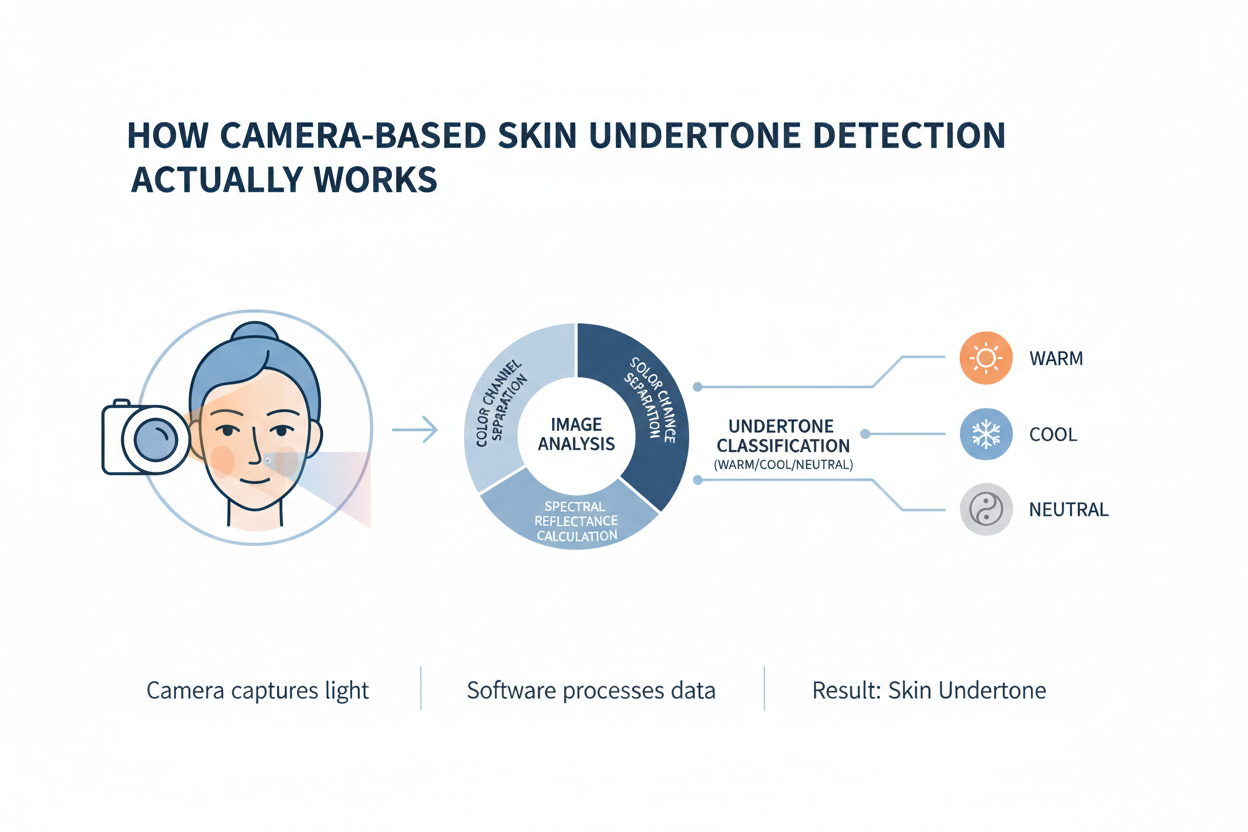
From that single image, the model performs several tasks simultaneously:
- Segmentation — It isolates the skin pixels from hair, eyes, background, and clothing so only facial skin data enters the analysis.
- Tone classification — It maps average pixel values across the segmented area to a skin-tone scale, placing you somewhere along the range from very fair to deep.
- Undertone inference — It looks for subtle hue shifts within the skin pixels—the faint blue, yellow, or neutral cast beneath the surface tone—and assigns a cool, warm, or neutral category.
- Shade matching — Using both tone and undertone, the model cross-references a product database and returns foundation or cosmetic shade recommendations.
Perfect Corp's shade finder describes this sequence plainly: open your camera, take a photo, and the AI analyzes your skin tone and undertone, then suggests foundation shades. The interface is built to reduce friction—keep your face inside the circle and hold still, and the analysis runs with a single click.
What the algorithm can't do is examine the blood vessels beneath your skin, watch how metals reflect against your complexion, or pick up the physiological pigment signals that manual methods access directly. It works entirely with the light your camera captures on that particular day, in those particular conditions.
→ Try the camera undertone quiz now
The Pros: Why a Camera Test Can Be a Useful Undertone Tool
Despite its constraints, a camera-based skin undertone test has real advantages—which is probably why the format caught on so quickly.
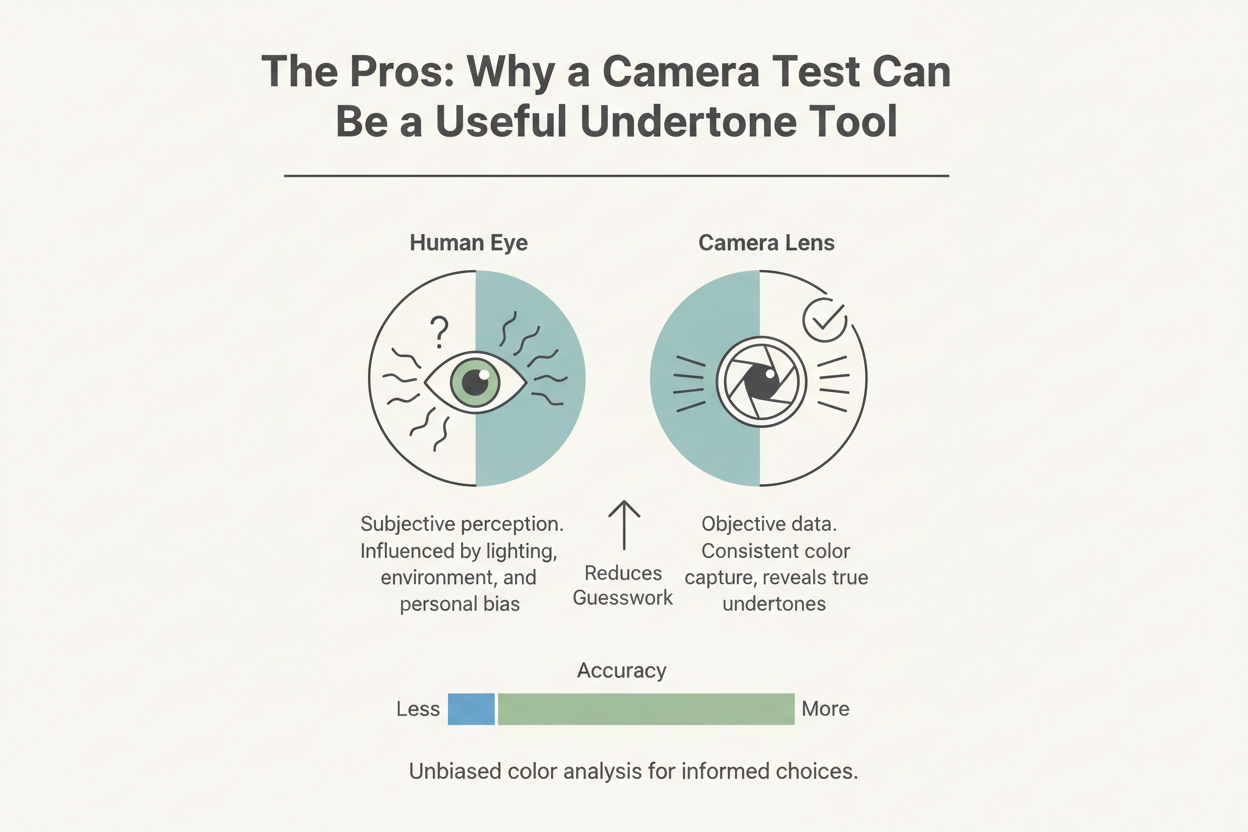
Speed and accessibility Start to finish, the whole thing takes under a minute. No specialist appointment, no test swatches to buy, no going anywhere. If you have a smartphone, you have access to the same analysis as everyone else.
Removal of subjective bias Classic DIY methods rely on your own perception, which turns out to be unreliable. Deciding whether your veins look blue-purple or greenish-olive under whatever light you happen to be standing in is genuinely hard, and most people talk themselves in and out of an answer several times. An AI model applies the same classification logic every time. No hesitation loop, no getting stuck between two categories.
Simultaneous tone and undertone reading Vein checks only tell you about undertone. Camera AI reads both surface depth and undertone in one pass, which matters because foundation matching needs both pieces of information. Knowing you're cool-toned doesn't tell you whether you need a fair or medium shade.
Immediate product recommendations Some platforms translate the result directly into product guidance—Lancôme's E Shade Finder, for example, helps you find the equivalent of a shade you already know you like. That takes you from "here's your undertone" to "here's what to buy" in a single session.
Consistency for repeat testing Use the same tool under the same conditions and you'll get reproducible results. That makes camera tests genuinely useful for tracking seasonal shifts in your tone and adjusting your foundation picks when things change.
The Cons: Lighting, Device Variance, and Other Limitations
The same mechanism that makes camera tests fast also introduces failure points that manual methods avoid entirely.
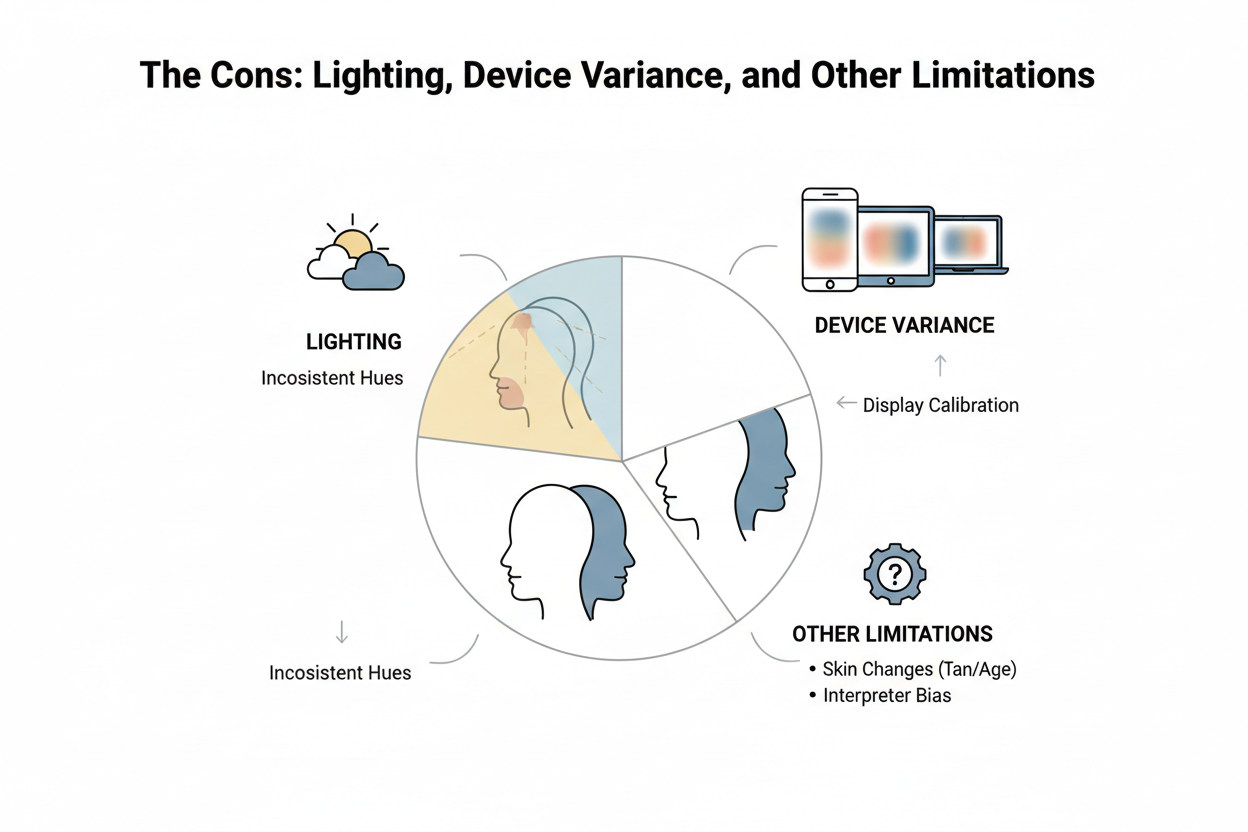
Lighting temperature is the biggest variable Warm incandescent bulbs add a yellow-orange cast to skin pixels. Cool fluorescent lighting pulls readings toward blue. Both can push a genuinely neutral undertone into the warm or cool category. Natural daylight—indirect daylight on an overcast day, specifically—is the closest thing to a neutral light source, but most people take these tests indoors under whatever bulb happens to be on.
Motion blur degrades segmentation accuracy The instruction to hold still isn't incidental UX copy. Even slight movement introduces blur that makes pixel-level hue analysis less reliable. A blurred image can cause the model to misread the distribution of warm and cool pixels across the skin.
Photo-only analysis misses sub-surface signals Camera AI reads the surface of your skin as it appears in reflected light. It has no way to capture what vein checks or jewelry-preference tests draw on: the color of blood vessels beneath the skin, and how different metals interact with your natural pigment. Those are physiological signals, not optical ones.
Makeup and skincare products interfere Foundation, tinted moisturizer, self-tanner residue, and heavily pigmented skincare can all alter the pixels the model analyzes. Testing over a base coat effectively measures the product, not your skin.
Results don't transfer between platforms Different tools use different training datasets, undertone frameworks, and classification thresholds. A result from one platform won't necessarily match a result from another, even from photos taken minutes apart.
Why Your Phone Camera and a Pro Camera May Give Different Undertone Results
Device hardware compounds every limitation above. Two people taking the same camera undertone test side by side can get different results just because they're using different phones.
The core reasons are:
- Sensor size and quality — Flagship sensors capture more color data per pixel, which means more nuanced hue information. Budget sensors compress color more aggressively, potentially losing the subtle undertone signals the AI is looking for.
- White-balance algorithms — Every smartphone applies automatic white balance to make photos look "natural." The specific algorithm varies by manufacturer and software version. One device warms the image; another cools it. Neither gives you neutral data — they give you each brand's idea of a pleasing photo.
- Color calibration profiles — Manufacturers calibrate screens and sensors differently. Samsung devices tend toward more saturated, warmer rendering; Apple devices lean cooler and closer to sRGB. The same face photographed on both can produce meaningfully different pixel values when passed to an AI classifier.
- Processing compression — Camera apps apply sharpening, noise reduction, and skin-smoothing before an image ever reaches an analysis tool. These adjustments alter pixel values at the hue level.
The practical implication: if two people in your household test with the same tool and one uses a three-year-old mid-range Android while the other uses a current flagship iPhone, their results aren't directly comparable — even if their skin tones are similar.
Traditional Undertone Methods the Camera Test Replaces (or Doesn't)
Camera AI hasn't made manual undertone tests obsolete. It's added a fast, low-friction first pass that works well under good conditions—but the established physical methods access information no camera can reach, which is why colorists and makeup educators still recommend them as a cross-reference.
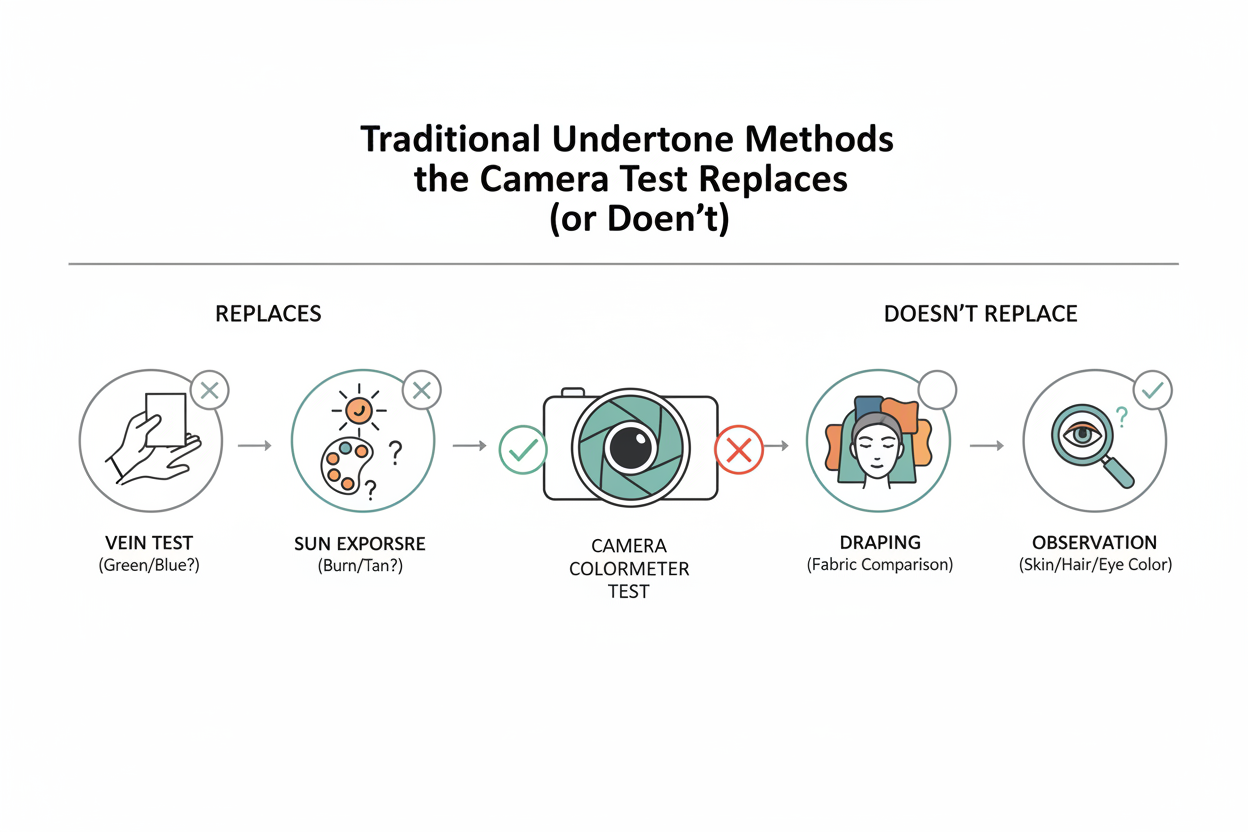
Understanding both approaches lets you use each where it performs best.
The Vein-Check and Jewelry Methods Explained
These are the two most cited manual undertone tests, and the logic behind each is straightforward.
The vein-check method Look at the underside of your wrist in natural daylight—not artificial indoor light—and observe the dominant color of the veins beneath the skin:
- Blue or purple veins → cool undertone
- Green or olive veins → warm undertone
- Blue-green veins → neutral undertone
What you see is shaped by vein depth, skin thickness, and melanin levels, which is why the test needs consistent natural light and why it can be genuinely ambiguous for people with deeper skin tones where the contrast is lower.
The jewelry-preference method Hold a piece of silver jewelry against your bare wrist, swap it for gold, and notice which metal makes your skin look more awake and luminous rather than washed out or sallow:
- Silver looks more flattering → cool undertone
- Gold looks more flattering → warm undertone
- Both look equally good → neutral undertone
Neither test needs an app, a camera, or any lighting setup beyond natural daylight. They also pick up sub-surface and reflective signals that a camera sensor simply can't reach—which is exactly why they're still worth checking when camera results feel uncertain.
→ Not sure which category you fall into? Start the undertone quiz
When Camera Undertone Tests Give Inaccurate Results
There are specific, predictable scenarios where camera-based undertone results are likely to be unreliable. Recognizing these situations tells you when to re-test rather than act on a questionable verdict.
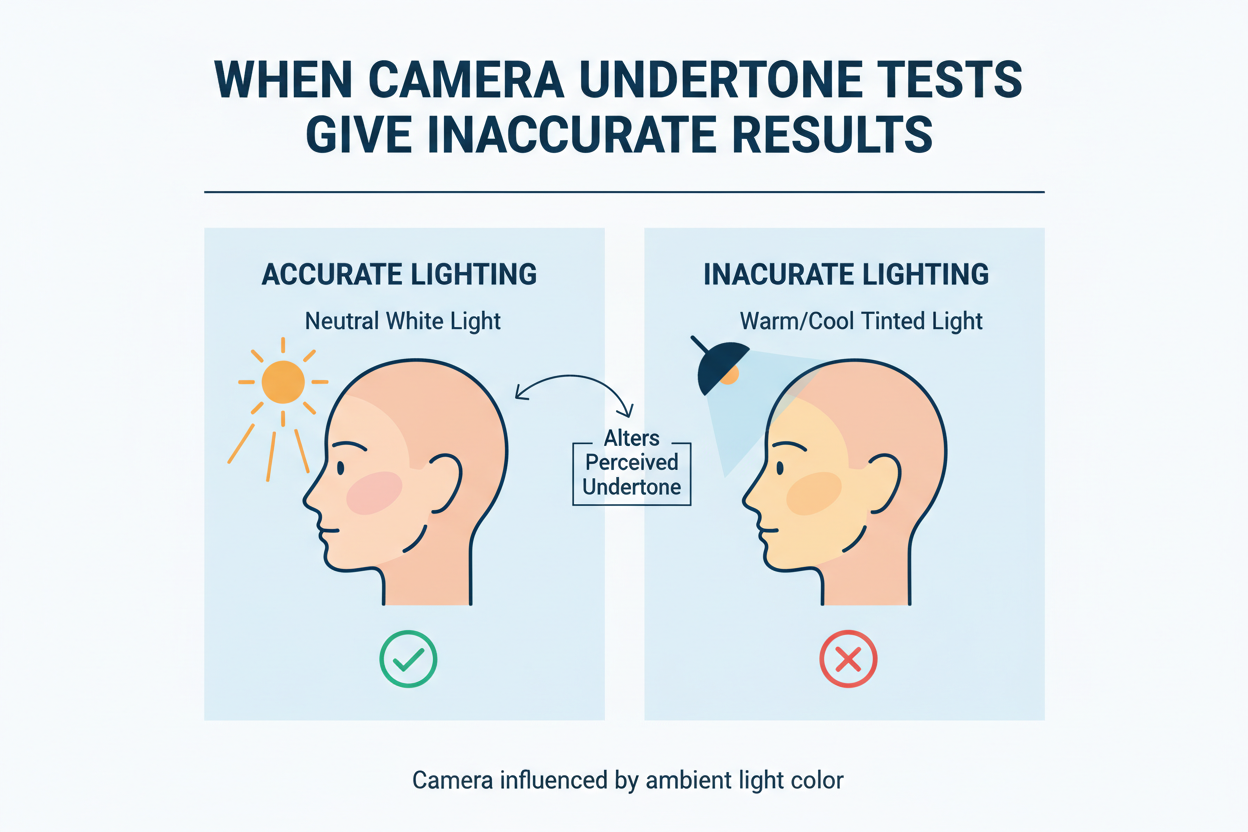
You are testing under artificial light Warm bulbs push readings warm; cool-white LEDs push them cool. If a camera test gives you a result that contradicts what you see in a mirror on a bright morning, lighting is almost certainly why.
You have any makeup or tinted product on your skin Even a light BB cream shifts the pixel data. The analysis measures what the camera sees, not your actual skin.
Your photo is blurry or unevenly lit Harsh directional lighting—a window to one side, shadow on the other—creates inconsistent pixel values across the face. The model may read the lit side and the shadow side differently, producing an average that reflects neither.
You are in the middle of a tan or a tan fade Surface melanin from sun exposure sits on top of your underlying undertone. A deep summer tan can temporarily push a camera-based reading warm even if your year-round undertone is neutral or cool.
You are testing immediately after exercise or a hot shower Temporary flushing adds a red-pink cast to the surface pixels, which can nudge a borderline result toward cool.
Your result sits exactly on the warm-neutral or cool-neutral boundary Most tools return a single label, but undertone exists on a spectrum. A result near the border of two categories is genuinely ambiguous. Cross-reference with manual methods before committing to a foundation purchase.
How to Get the Most Accurate Camera Undertone Reading
A few practical steps make a real difference in how reliable your camera-based skin undertone reading turns out to be.
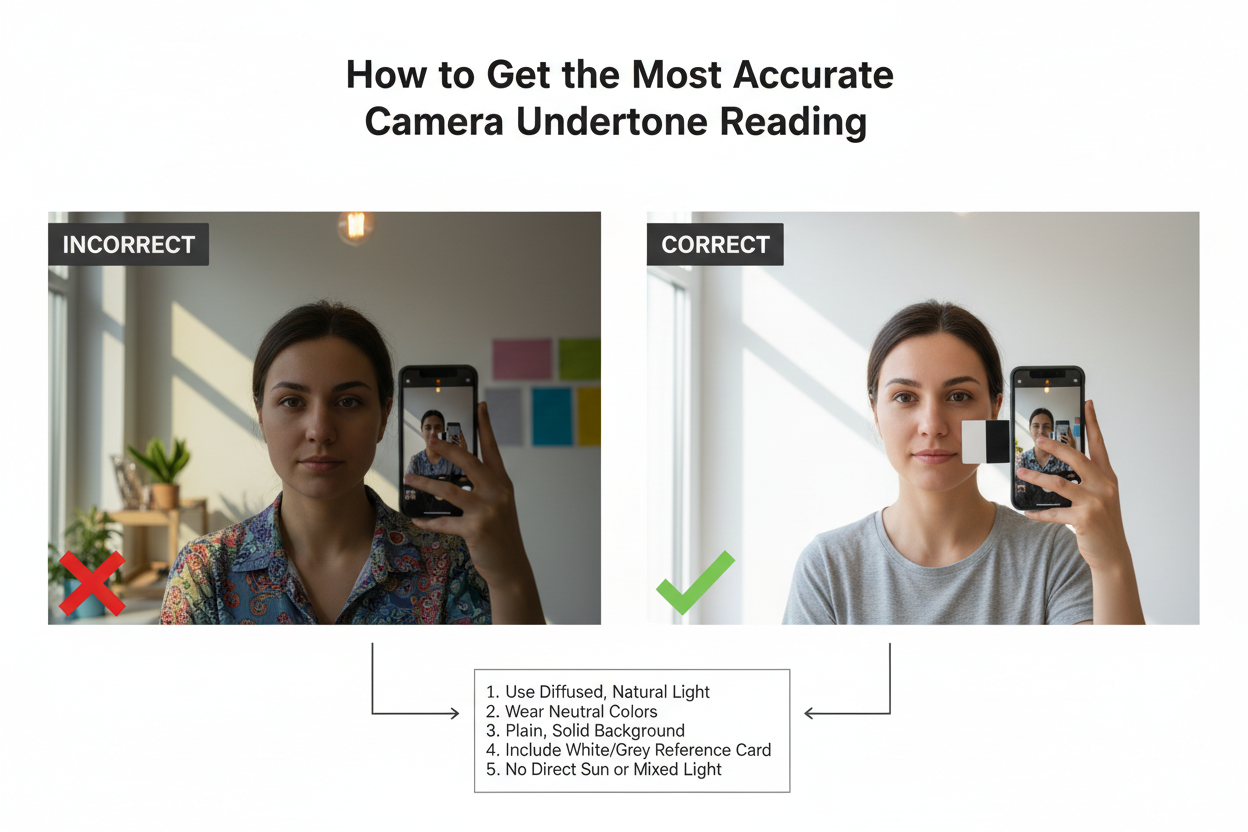
Use indirect natural daylight Sit near a window on an overcast day, or find a shaded spot outside. Direct sun bleaches out detail, warm indoor bulbs skew warm, and cool fluorescent panels skew cool. Indirect daylight is the closest thing to a neutral light source you can get at home.
Test with completely bare skin Take off all makeup, including primer and tinted moisturizer. Cleanse, then wait at least ten minutes for any post-wash redness to settle.
Keep your face centered and still Follow the on-screen guide and hold still through the capture sequence. Even small movements introduce blur that throws off the hue analysis.
Use a neutral background A white or light gray wall behind you prevents color spill from subtly affecting how the algorithm reads the pixels at the edges of your face.
Avoid colored clothing near the neckline Bright or saturated colors close to your face reflect light onto your chin and jaw, adding a color cast to exactly the area the model is most likely to sample.
Test twice and compare Take a result, step away, come back after a few minutes, and test again. Two consistent results under the same conditions are a good sign. If the second result is different, the conditions were probably unstable and the reading should be treated cautiously.
Cross-reference with the vein check Before committing to any camera result, spend thirty seconds checking your wrist veins in natural daylight. If both methods agree, you can move forward with confidence. If they disagree, trust the vein check for undertone and use the camera result for tone depth only.
Using Your Undertone Result to Find Flattering Colors and Shades
A confirmed undertone reading is more than a foundation-matching shortcut. It's a working framework for color decisions across your wardrobe, beauty routine, and accessories.
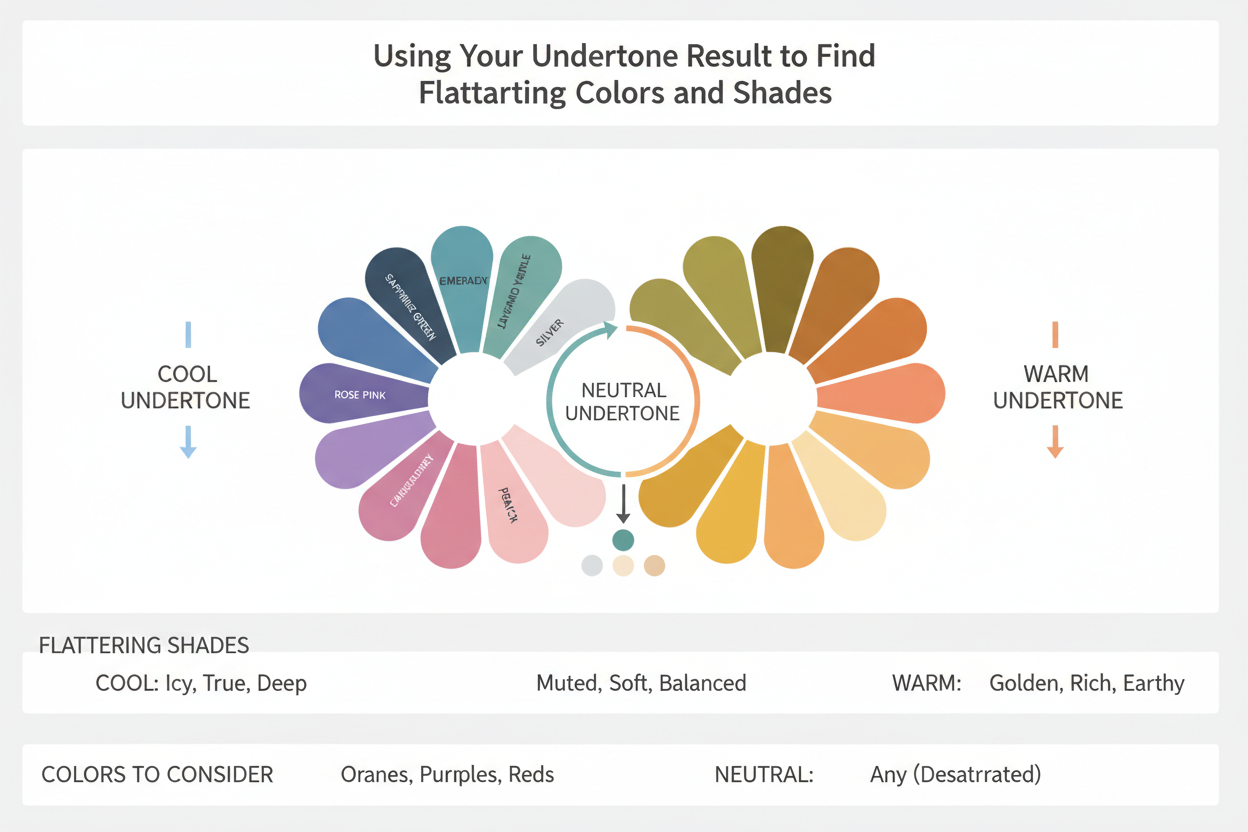
Foundation and concealer This is where undertone matters most directly. Cool undertones work with foundations that have pink, red, or blue-based pigments. Warm undertones need yellow or golden bases. Neutral undertones have more flexibility, though it helps to avoid the extremes of either direction. Camera AI tools like Perfect Corp's shade finder automate this by cross-referencing undertone with tone depth to return specific product suggestions.
Clothing colors Warm undertones tend to look good in earthy, golden hues—terracotta, olive, mustard, camel. Cool undertones suit jewel tones and blue-based neutrals—cobalt, emerald, burgundy, true gray. Neutral undertones can pull from both palettes, which makes undertone-awareness useful when a color feels almost-but-not-quite right and you're not sure which direction to push it.
Hair color Warm undertones typically pair well with golden, copper, and honey tones. Cool undertones tend to look more harmonious with ash, platinum, or blue-black shades. This is one reason some platforms cross-reference skin tone with hair shade and eye color together—the combination gives a more complete picture than any single factor alone.
Jewelry metals and accessories The jewelry test isn't just diagnostic—it's also a styling rule. If silver consistently looks better against your skin than gold, that preference carries straight into your accessory choices. If both metals work, you can choose by outfit instead of by undertone.
A result that lasts Unlike trend-driven advice that shifts by season, your undertone doesn't change. The colors that flatter you today will still flatter you in five years—so the time spent getting an accurate reading keeps paying off across every color decision you make going forward.
People Also Ask
Can a phone camera accurately detect skin undertone?
Phone cameras can get you a decent undertone estimate, but accuracy depends on conditions. AI tools like Perfect Corp's shade finder apply consistent classification logic across every photo, which cuts out a lot of human guesswork. The catch is that a camera only reads surface light reflection. It can't pick up vein color, or tell you how gold versus silver jewelry sits against your skin. Add hardware variation between devices, auto white balance, and inconsistent lighting, and the error margin grows. Under controlled conditions—bare skin, indirect natural light, camera held steady—a phone test is a reasonable starting point. It just works better when you cross-check it against a manual method.
What is the most accurate way to find your skin undertone?
No single method wins outright, but combining two or three approaches gets you much closer to a reliable answer:
- Vein check — Look at the underside of your wrist in natural daylight. Blue-purple veins point to cool; green or olive veins point to warm; blue-green veins suggest neutral.
- Jewelry test — Hold silver and gold jewelry against your bare wrist and see which one makes your skin look better. That metal usually matches your undertone direction.
- Camera AI test — Tools like colorwise platforms cross-reference skin tone with hair and eye color, which adds another data point to the process.
When all three line up, you can trust the result. When they conflict, the vein check and jewelry test tend to be the better tiebreakers since they pick up on physiological signals a camera can't.
How do I check my undertone with a photo?
With any AI-powered shade finder, the process is pretty simple:
- Prepare your skin — Remove all makeup, primer, and tinted skincare. Wait a few minutes for post-cleansing redness to settle.
- Find good light — Position yourself near a window in indirect natural light. Avoid warm bulbs or cool fluorescent panels.
- Open the tool — Platforms like Perfect Corp's shade finder ask you to keep your face inside an on-screen circle and hold still for skin tone detection.
- Capture and receive results — The AI reads your skin pixels for tone depth and undertone, then returns a classification—usually cool, warm, or neutral—along with shade recommendations.
- Cross-reference — Compare the result against your vein color in natural daylight before buying anything.
Some tools, like Amazing Cosmetics' selfie quiz, say your photo is used only for skin tone matching. It's worth checking each platform's privacy terms before you upload.
Does lighting affect skin undertone camera tests?
Yes—and it's probably the biggest variable in the whole process. Here's what different light sources actually do to your results:
| Light source | Effect on reading |
|---|---|
| Warm incandescent bulbs | Adds yellow-orange cast; may push neutral toward warm |
| Cool-white LEDs or fluorescents | Adds blue cast; may push neutral toward cool |
| Direct sunlight | Overexposes skin pixels; reduces hue detail |
| Indirect natural daylight | Closest to neutral; most reliable for testing |
The AI reads pixel values from the photo—not your actual skin. Whatever cast the light adds gets baked into those values before any analysis happens. Consistent artificial lighting will at least give you consistent results, even if they're slightly off. Indirect natural daylight is still your best bet for an accurate baseline.
What is the difference between skin tone and skin undertone?
These two terms describe different layers of color information.
Skin tone (also called surface tone or depth) refers to how light or dark your complexion looks. It runs on a spectrum from fair to light, medium, tan, and deep. Skin tone shifts with the seasons — tanning darkens it, winter lightens it.
Skin undertone is the subtle hue beneath that surface. It falls into three categories: cool (pink, red, or bluish), warm (yellow, golden, or peachy), or neutral (a mix of both). Unlike skin tone, undertone doesn't change with sun exposure. It's a stable quality of your natural pigmentation.
The distinction matters for product matching. Foundation needs both data points: knowing you're "medium" tells a brand your depth; knowing you're "cool" tells them which pigment base to use. Camera AI tools read both at the same time, which is one of their real advantages over manual methods that typically focus on undertone alone.
FAQ
How does AI detect skin undertone from a camera photo?
AI undertone detection works by analyzing pixel-level color data from your photo. The process typically goes like this:
- Face detection — The model locates your face and isolates skin-bearing regions, filtering out hair, eyes, and background.
- Pixel sampling — It samples thousands of skin pixels, reading each one's red, green, and blue channel values.
- Hue-shift analysis — The aggregate color is mapped against a reference model. Pixels that skew pink or bluish point to a cool undertone; those that lean yellow or golden point to warm; a balanced mix suggests neutral.
- Output — The system returns a classification along with product recommendations matched to that undertone profile.
The whole pipeline runs in seconds and needs nothing beyond a clear, well-lit photo.
Is a camera undertone test as accurate as the vein-check method?
They measure different things, so direct comparison is tricky. The vein-check reads a physiological signal—the actual color of blood vessels beneath the skin—that no camera can replicate. Blue-purple veins indicate cool; green or olive veins indicate warm; blue-green veins indicate neutral. That signal is not affected by lighting, device settings, or photo processing.
A camera AI test reads light reflected from the skin's surface. It's faster and more consistent than untrained human eyes, but it's vulnerable to lighting conditions and camera hardware differences that the vein check simply isn't.
When both methods agree, you can be confident. When they conflict, trust the vein check — it's drawing on a signal the camera can't access.
What lighting is best for a skin undertone camera test?
Indirect natural daylight is the gold standard. Sit near a window where sunlight is diffused—not streaming directly onto your face. Here's how common alternatives stack up:
| Light source | Problem |
|---|---|
| Warm incandescent bulbs | Adds yellow-orange cast; may shift neutral toward warm |
| Cool-white LEDs or fluorescents | Adds blue cast; may shift neutral toward cool |
| Direct sunlight | Overexposes skin pixels; reduces hue detail |
| Indirect natural daylight | Closest to neutral; most reliable baseline |
The AI reads the actual pixel values your camera records, so any color cast from your light source gets baked into the result as if it were your real skin color. Good lighting isn't optional—it's the one variable you can actually control.
Can a camera test determine whether I am cool, warm, or neutral?
Yes. Most AI-powered shade-finder tools classify undertone into these three categories, including tools that analyze a single photo and suggest foundation shades. The classification comes from comparing the hue direction of your sampled skin pixels against a calibrated reference model.
Neutral undertones are the hardest to classify accurately because the signal is subtle by definition. If your result comes back as neutral, cross-reference it with the vein check and jewelry method (silver versus gold held against bare skin) to confirm whether the camera reading is reliable or just sitting on a borderline.
Why does my camera undertone result differ from my vein color reading?
A few things can cause a mismatch:
- Lighting — Warm artificial light can make the tool read added warmth as part of your undertone.
- Device white balance — Phones and cameras auto-adjust white balance, sometimes overcorrecting in ways that shift the color data the AI receives.
- Makeup or skincare residue — Even a light tinted moisturizer alters surface pixel values.
- Vein visibility — Veins are harder to read accurately on very fair or very deep skin tones, which introduces error into the manual check.
- Borderline undertone — Some people genuinely sit close to the line between two categories, so small input changes can tip the result either way.
If the two methods disagree, repeat the camera test under better lighting with completely bare skin. If they still don't match, try the jewelry method: hold silver and gold metal near your face and see which makes your skin look more luminous. That can serve as a useful tiebreaker.
Will my photo be stored or shared when I use a camera undertone tool?
Privacy practices vary by platform. Some tools say your photo is only used for skin tone matching and deleted after the session. Others are vague about it. Before uploading anything, check the privacy policy for a few things:
- Whether your photo stays in the browser or gets sent to a server
- How long image data is kept
- Whether it's used to train future AI models
When in doubt, avoid photos with identifiable details in the background, and stick to tools that are upfront about how they handle your data.
Can a camera undertone test recommend foundation shades?
Yes—this is one of the more practical uses of the technology. Platforms like Lancôme's E Shade Finder and Perfect Corp's shade finder go beyond undertone classification to match your result to specific product shades. The process works in a few steps:
- The AI reads your skin depth (how light or dark your complexion is) and your undertone (cool, warm, or neutral) from the same photo.
- It cross-references both against a product database to surface shades with the right depth and pigment base.
- Some tools also let you enter a shade you already own from another brand to find its closest equivalent.
The recommendations are only as good as the photo. A poorly lit or makeup-covered selfie will produce less reliable results. For best results, use bare, clean skin in natural light before trusting any shade suggestion enough to buy. Take the quiz at color-analysis.app to find your undertone and matching shades.