AI Personal Color Analysis From a Portrait
 Reviewed by Alexandra Gilmore
A portrait can give AI useful clues about skin, hair, eyes, and feature contrast, but the camera can also rewrite those colors before analysis begins. Prepare a clean daylight image, understand how seasonal matching works, and treat the output as a testable palette rather than unquestionable fact.

Knowing which colors make you look vibrant—and which ones drain you—used to require a booking with a trained color consultant, a set of fabric drapes, and an hour in a well-lit studio. Today, a single portrait can do the same work in seconds.
💫 Take the Color Analysis Quiz
If the signals in this article still point in different directions, compare them together instead of relying on one clue. The quiz gives you a consistent starting point you can check against the practical tests above.
Take Color Analysis Quiz →AI color analysis from a portrait works by reading the visual data already present in your photo: the undertones in your skin, the depth and warmth of your hair, and the contrast between your features. The AI maps those signals to one of the classic seasonal palettes—Spring, Summer, Autumn, or Winter—and returns a personalized result you can act on immediately.
What this article covers:
- How AI actually extracts color information from your portrait
- Which seasonal type your result maps to, and what that means for your wardrobe and makeup
- What makes a portrait useful (or useless) for accurate analysis
- How AI portrait analysis compares to in-person color draping
- Practical next steps for applying your seasonal palette in real life
Whether you upload a casual smartphone selfie or a polished headshot, the goal is the same: find the most flattering hues for your specific combination of skin tone, hair shade, and eye color—without guesswork, quizzes, or an appointment.
What Color Analysis From a Portrait Actually Measures
Color analysis identifies which colors flatter you based on your natural coloring—not trends, not general rules about what looks "nice." A portrait captures all three required inputs in one frame: skin tone, hair shade, and eye color.
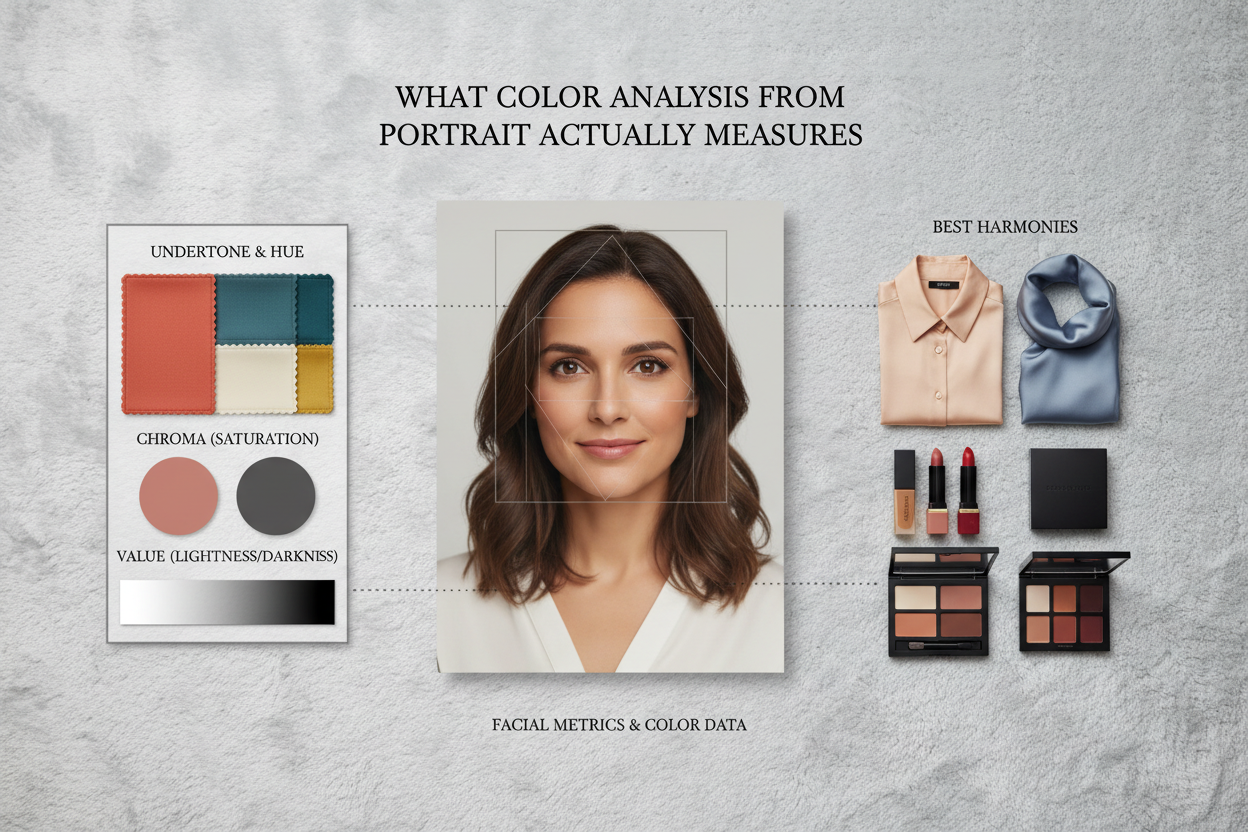
These three signals define your personal color profile:
- Skin tone — the surface color and underlying warmth or coolness in your complexion
- Hair shade — the depth (light to dark) and temperature (warm golden tones vs. cool ash tones) of your hair
- Eye color — the hue and intensity, which contribute to your overall contrast level
A well-lit portrait encodes all of this reliably. You don't need to describe your features in words or answer subjective quiz questions—the image data goes straight to the analysis engine.
The result shows which colors work with your natural coloring rather than against it. Wear colors aligned with your seasonal palette and your skin reads clearer, shadows around your face soften, your features look more defined. Wear colors outside it and you get the opposite: uneven tone becomes more visible, you look tired, or you look washed out.
How AI Reads Your Portrait to Assign a Seasonal Type
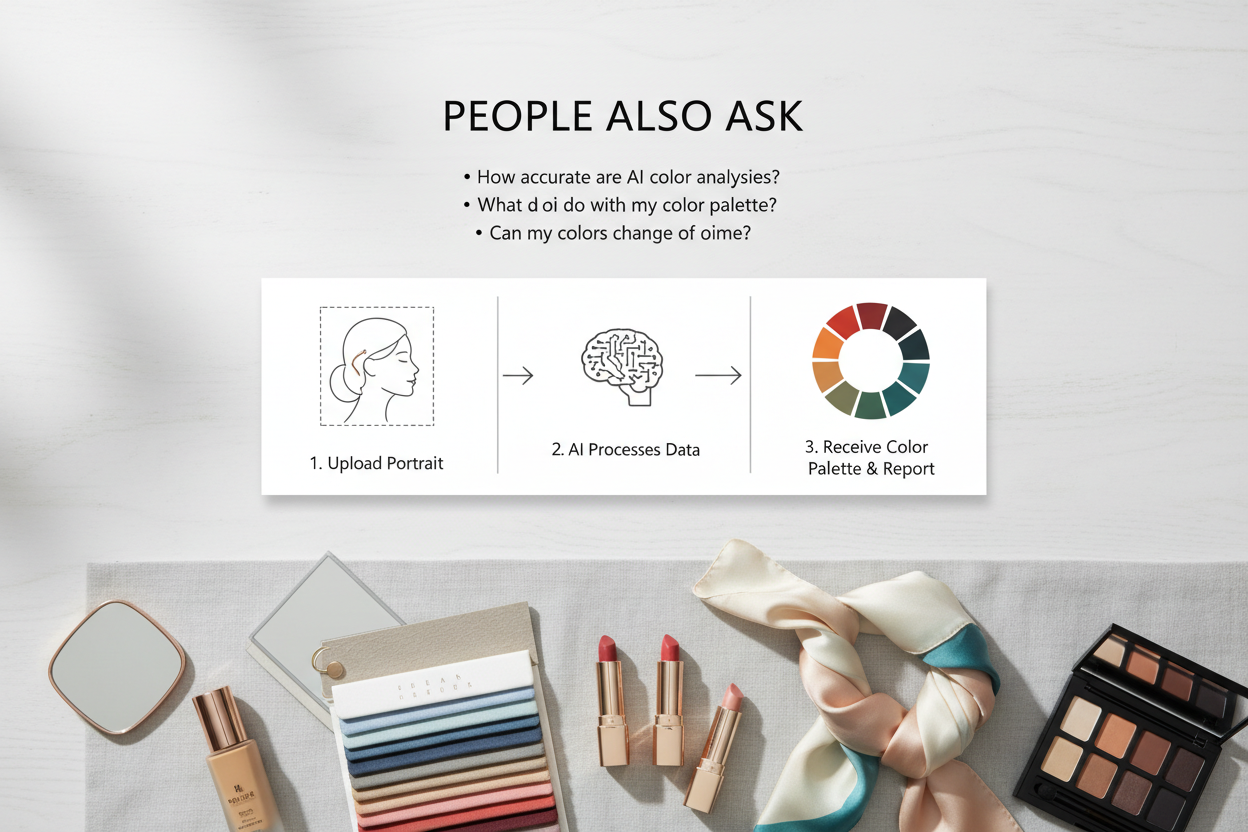
The process is straightforward: upload a photo, the system pulls color information from your features, and you get a seasonal type with a palette to match.
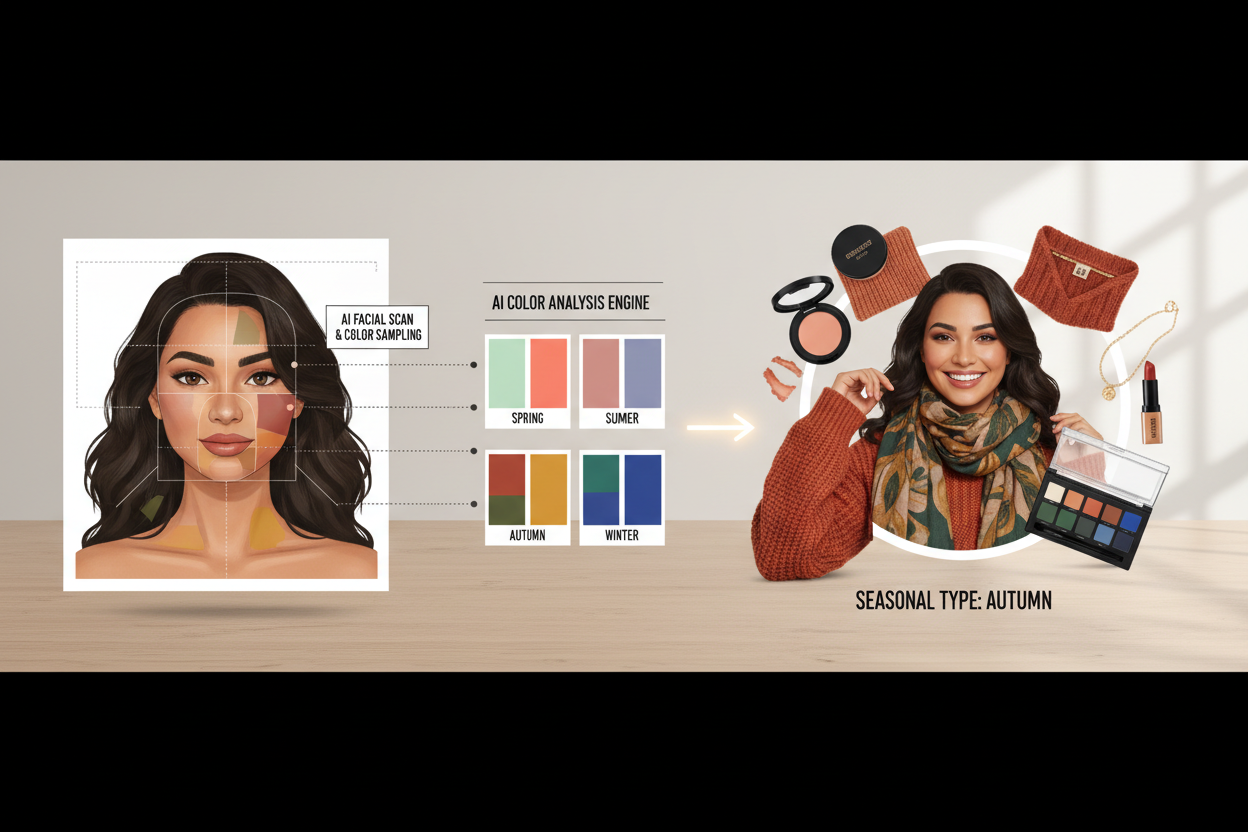
Here's how each step works:
- Photo upload — Submit your portrait to the analysis tool. No account or appointment needed.
- Signal extraction — The AI reads color values from your skin, hair, and eyes in the image.
- Seasonal classification — Those values are compared against the four seasonal profiles to find your closest match.
- Output delivery — You get your seasonal type plus style and color recommendations you can use right away.
The whole thing is fast. Your photo is the only input—no questionnaires. And the output isn't just a label: you get specific hues within your season that work for your features, so there's something to actually do with the result.
Why Portrait Quality Determines Analysis Accuracy
The photo is the only input the system has, so its quality directly affects how reliably the AI can read your color signals. Poor lighting, heavy filters, or a cluttered background can hide the features the system needs to measure.
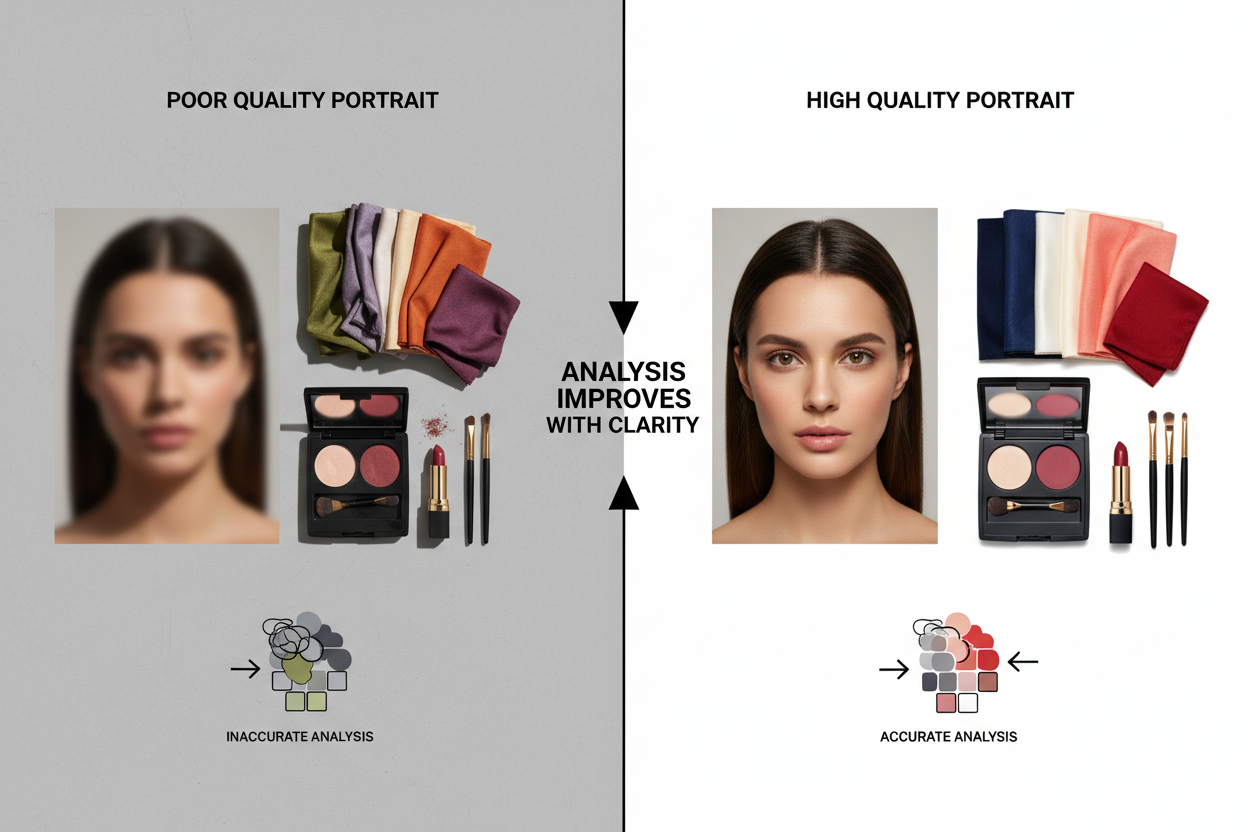
Portrait quality matters at three points:
- Skin tone reading — Shadows, warm artificial light, or editing filters can shift how warm or cool your complexion looks, which throws off undertone detection.
- Hair shade reading — Harsh backlighting blows out hair detail; dim lighting can make medium-brown hair look nearly black.
- Eye color reading — Small irises in a wide-angle shot, or heavy eye makeup, reduce the signal the system gets from your eye color.
The closer your photo is to your natural, unaltered coloring in neutral light, the more accurately the AI can do its job.
Lighting and Background Tips for a Usable Portrait
Before you upload:
- Use natural daylight. Sit near a window with indirect light. Avoid direct sun, which creates harsh shadows, and avoid indoor bulbs, which add yellow or orange casts.
- Choose a neutral background. White, light grey, or beige walls stop surrounding colors from reflecting onto your skin and skewing tone readings.
- Skip color-altering filters. Upload an unedited photo. Warming, cooling, or skin-smoothing filters interfere with the color data the AI is trying to read.
- Fill the frame with your face. A cropped-in portrait gives the system more pixel detail. Your face should cover at least the center third of the image.
- Keep hair and skin both visible. The system needs to read both your skin tone and your hair color. Don't let one block the other.
- Go light on makeup if you can. Heavy foundation, bold lip color, or dramatic eye makeup can obscure your natural undertone and eye color.
A smartphone camera in good daylight is fine. You don't need a professional headshot.
The Four Seasonal Palettes and What Your Portrait Reveals
Color analysis organizes personal coloring into four seasonal types—Spring, Summer, Autumn, and Winter—each defined by a distinct combination of warmth and depth. Your portrait signals map to one of these types based on the overall impression your features create together.
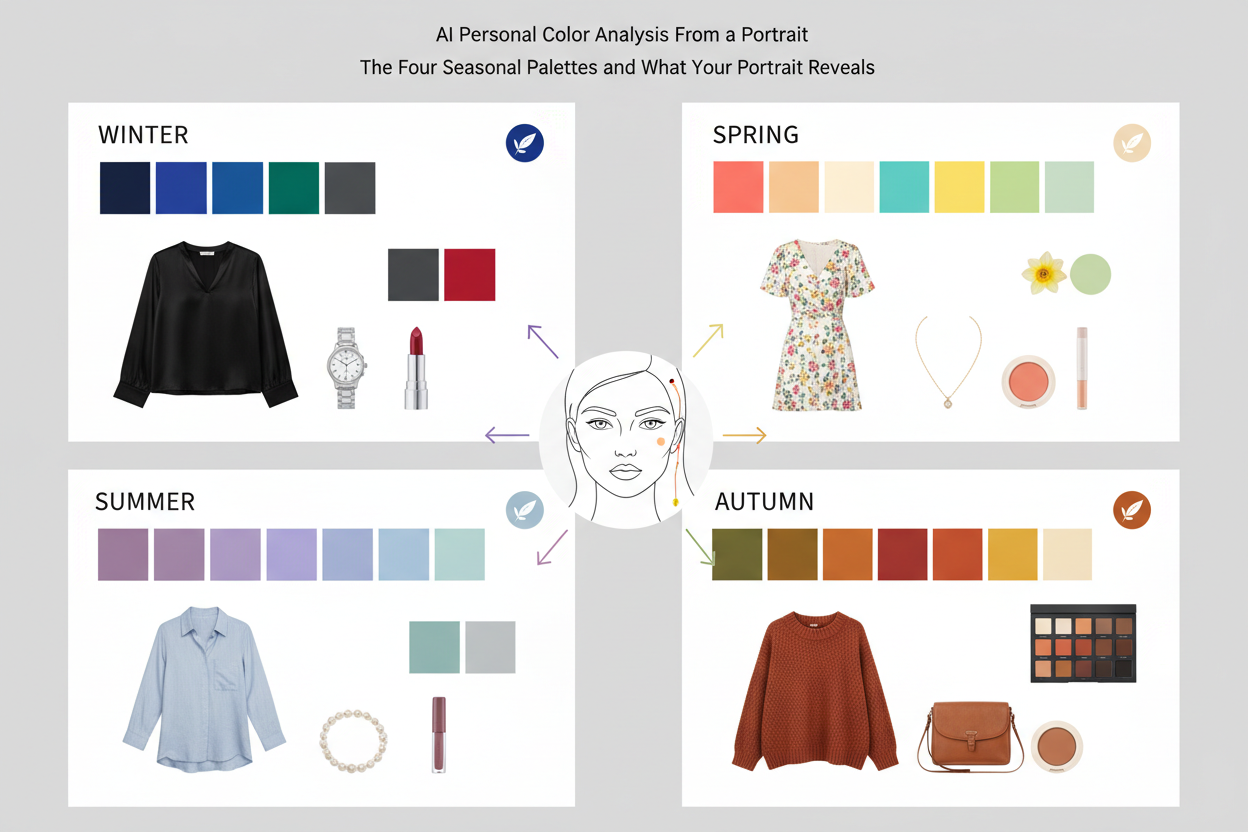
Spring palettes center on warm, light, and clear coloring. Portrait signals typically include warm golden or peachy skin undertones, lighter hair with warm highlights, and bright or light eyes.
Summer palettes suit cool, soft, and muted coloring. Portraits in this category often show cool or neutral-cool skin undertones, ash-toned or softly pigmented hair, and eyes that read as blended rather than high-contrast.
Autumn palettes belong to warm, deep, and muted coloring. Key portrait signals include rich warm or golden-brown skin tones, deeper warm hair (auburn, chestnut, warm brown), and earthy eye shades.
Winter palettes match cool, deep, and clear or high-contrast coloring. Portrait signals here are marked contrast between skin tone and hair or eye color, cool skin undertones, and distinctly colored eyes against a deeper or very light complexion.
This system produces reliable results because it works from your fixed natural coloring, not from whatever shades are trending this season. The hues recommended for your type will keep flattering you long after those trends have moved on.
Ready to see which season your portrait points to? Start your free AI color analysis →
Reading Your Seasonal Result: Warm, Cool, Soft, and Clear Tones
Your seasonal result is defined by two underlying axes, and understanding them helps you apply your palette with more precision.
The warm–cool axis describes the temperature of your overall coloring. Warm types (Spring and Autumn) look good in colors with yellow, golden, or orange undertones—terracotta, warm olive, camel, coral. Cool types (Summer and Winter) do better with colors that lean blue, pink, or purple—navy, soft lavender, cool rose, icy grey.
The soft–clear axis describes how muted or vivid your coloring appears. Soft types (Summer and Autumn) have a naturally blended, low-contrast look. Dusty, muted, and tonal colors tend to sit well with that without competing with the features. Clear types (Spring and Winter) have more contrast between skin, hair, and eye color, so brighter and crisper colors hold up against them rather than getting lost.
When you read your AI result, look for both dimensions in the description:
- Warm and clear points toward Spring
- Cool and soft points toward Summer
- Warm and soft points toward Autumn
- Cool and clear points toward Winter
Most AI platforms explain these qualities somewhere in your seasonal description. Treat them as the reason certain colors work on you—not just a list to memorize, but a way to understand why those shades suit your specific coloring. That logic applies whether you're choosing clothes, makeup, or accessories.
From Portrait Result to Real-Life Color Decisions
Your seasonal palette is portable. Once you have your result, you can carry its logic into every color decision without re-analyzing or consulting anything beyond the palette itself.
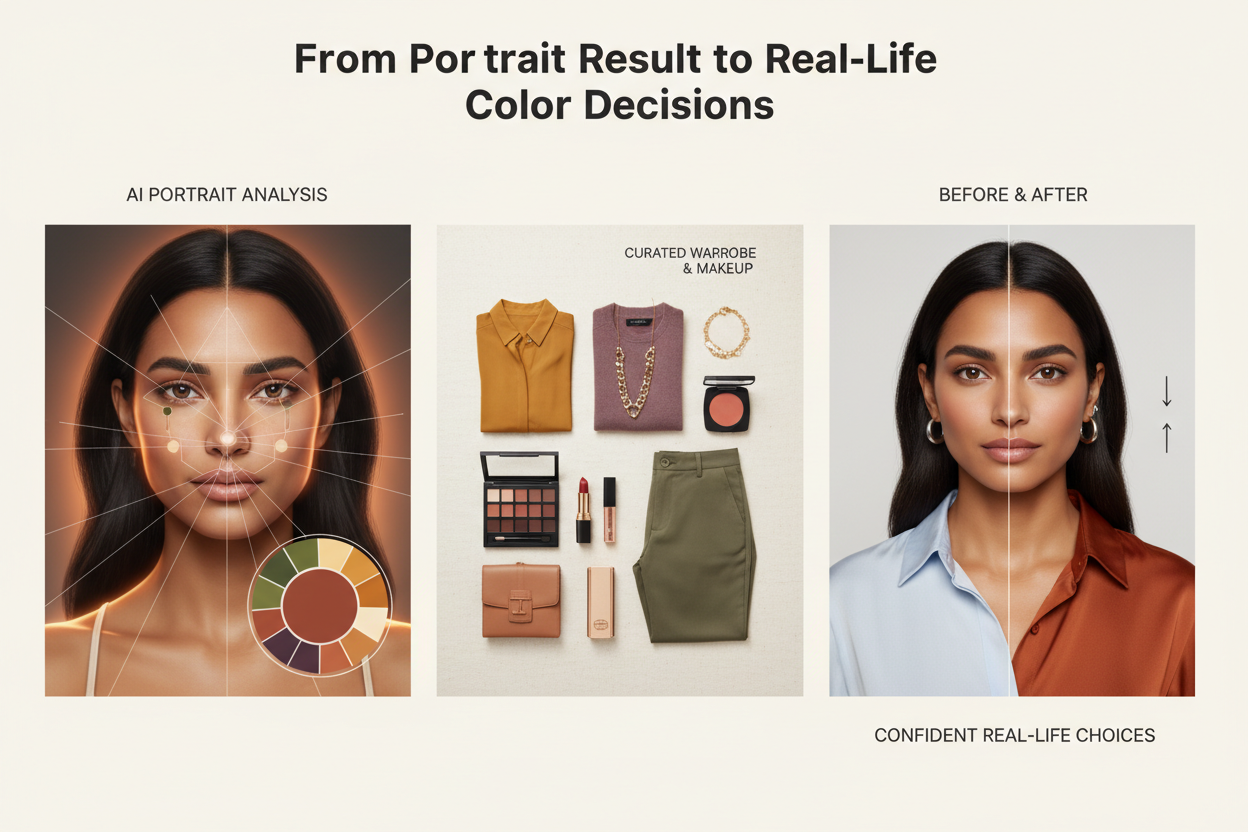
A few practical places this shows up:
- Clothing — Use your seasonal palette as a filter when shopping. If a garment's color matches your season's temperature and intensity, it will probably work. If it falls outside those parameters, it's worth a second look before buying. That's a more reliable standard than chasing whatever trend is currently on the rack.
- Makeup — Foundation undertone, blush, lip colors, eyeshadow — all of it benefits from seasonal alignment. A warm-season person in cool-toned foundation reads ashy. The same logic applies across every product.
- Accessories — Metal tones, bag colors, scarves, shoes — these all sit near your face and affect how your coloring reads. Keeping them within your palette creates coherence without much effort.
- Hair color — If you color your hair, your seasonal analysis tells you which tones (warm highlights vs. cool ash, for example) will harmonize with your skin and eyes rather than fight them.
Working from a portrait-derived palette instead of guessing or following trends gives you one thing that trends can't: consistency. The colors you choose will keep flattering you because they're calibrated to your actual coloring, not to what happened to be popular this season.
AI Portrait Analysis vs. In-Person Color Draping: Key Differences
In-person color draping, done by a trained consultant, means holding fabric swatches against your face in controlled lighting and watching how each color affects your complexion in real time. It's tactile, immediate, and guided by someone who knows what to look for.
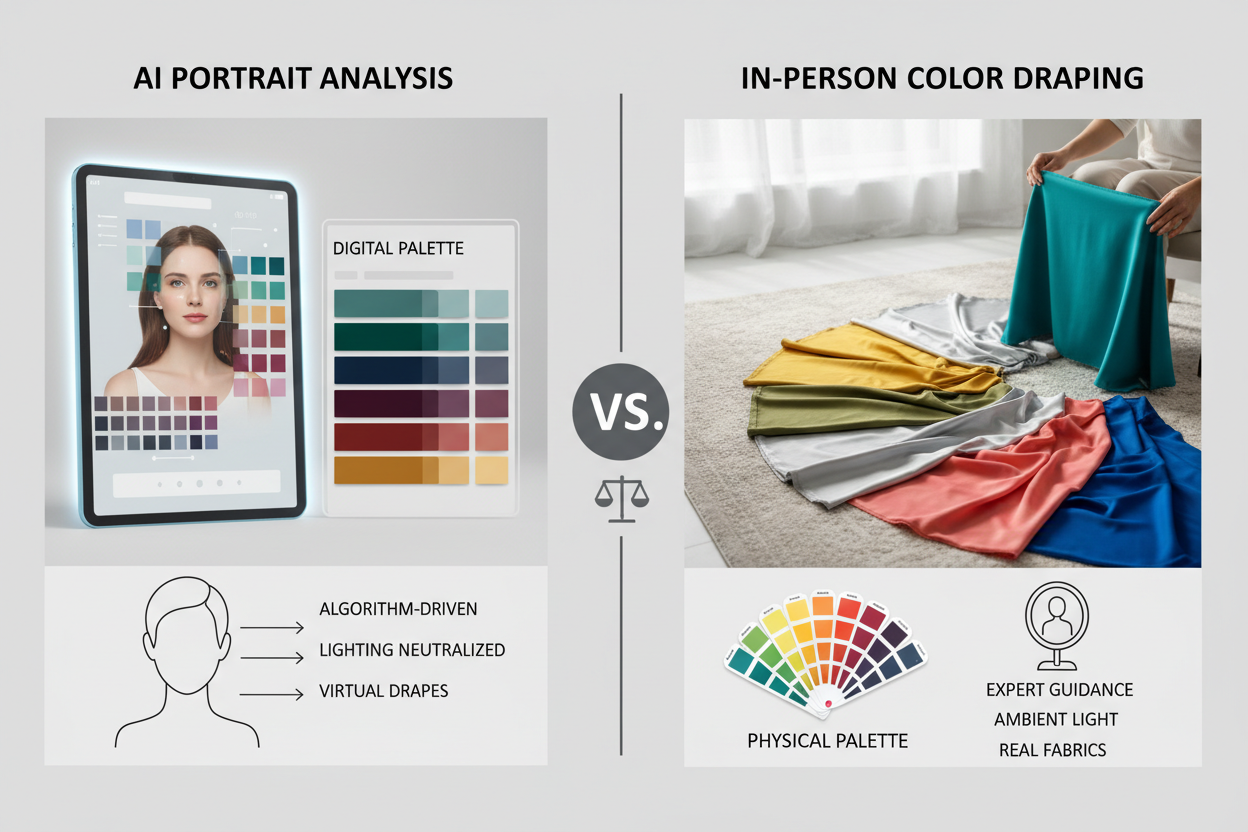
AI color analysis from a portrait works differently, but it has real advantages of its own:
| Factor | AI Portrait Analysis | In-Person Color Draping |
|---|---|---|
| Speed | Results in seconds after upload | Typically one to two hours |
| Accessibility | Available anywhere, any time | Requires booking and travel |
| Cost | Free or low-cost | Professional consultation fees apply |
| Input | Photo of your features | Live observation with fabric swatches |
| Output | Seasonal type + style recommendations | Seasonal type + consultant's verbal and written notes |
| Tactile feedback | None | Direct, real-time observation |
The honest comparison: AI analysis is faster, more accessible, and costs far less. It gives you your seasonal type and a personalized palette you can actually use right away. In-person draping adds something different—watching color physically interact with your face under controlled conditions, which matters more for edge cases or when your portrait doesn't give a clear signal.
For most people, AI portrait analysis covers what they need. If you have complex coloring—mixed undertones, significant contrast variation—or just want more certainty, in-person draping is a reasonable follow-up.
How to Get Your AI Color Analysis From a Portrait Today
Upload a photo and you'll have your seasonal palette in minutes. No account, no color theory background, no professional headshot required.
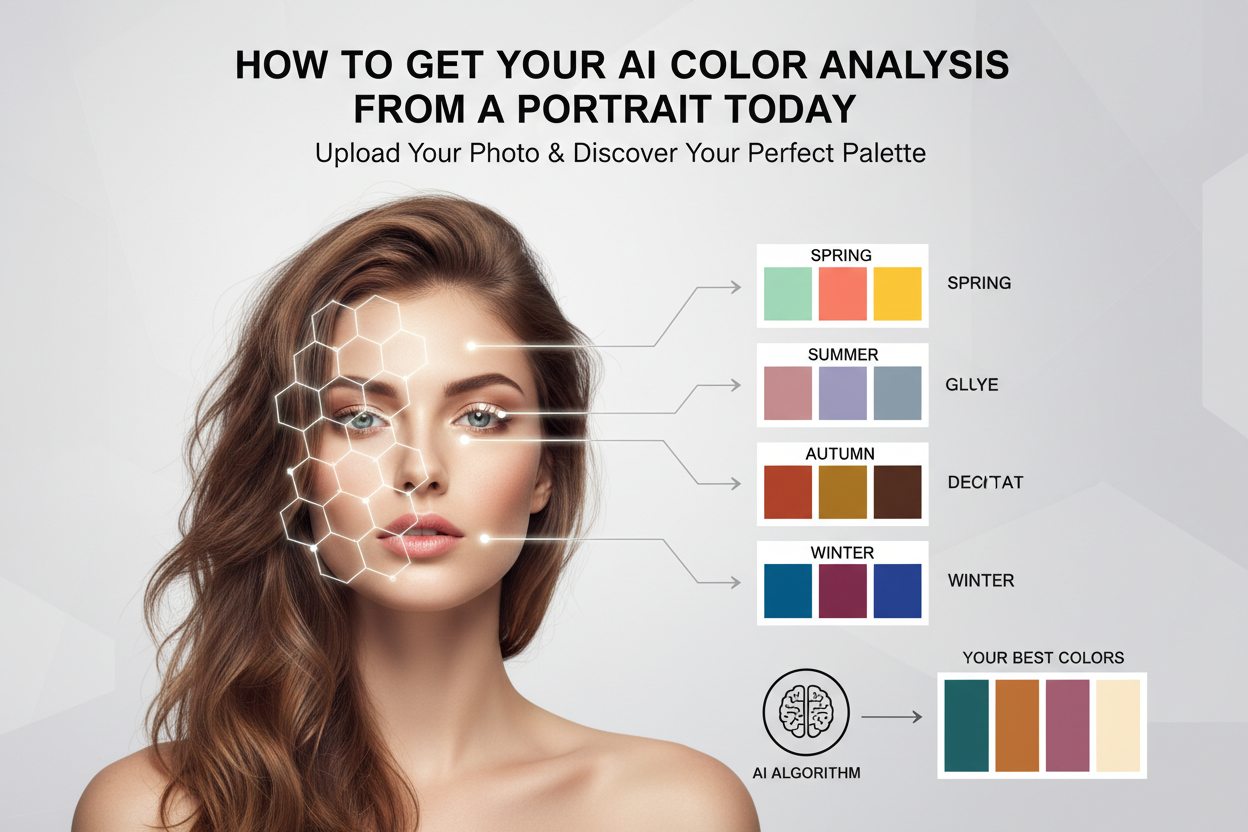
- Take or select a portrait — A clear, well-lit photo showing your face, hair, and natural coloring. The lighting and background tips above will get you the best result.
- Upload your photo — Submit the image to the AI color analysis tool. No account needed to start.
- Receive your seasonal type and palette — The AI returns your season quickly, along with style and color recommendations specific to your result.
- Apply your palette — Use the warm/cool and soft/clear guidance to make color decisions across clothing, makeup, and accessories.
Visual guidance within the tool shows you what your result actually means for your coloring, so the output makes sense right away.
People Also Ask
Can AI determine my color season from just a photo?
Yes. A portrait gives the AI everything it needs: your skin tone, hair shade, and eye color all show up in one image. The system pulls color signals from each feature and maps them to one of the four seasonal types—Spring, Summer, Autumn, or Winter—without you needing to answer questions or describe your coloring. The photo is the input; the seasonal classification comes from what the image actually shows.
What kind of portrait photo works best for AI color analysis?
A clear, well-lit photo taken in natural daylight near a window will give you the most reliable result. A few things to aim for:
- Neutral or light background — reflected color can throw off your skin tone reading
- No heavy filters or edits — warming or cooling filters change the color data the AI is measuring
- Face filling the center of the frame — more pixel detail means more accurate readings
- Hair and skin both visible — the system reads both together
- Minimal heavy makeup — especially foundation that meaningfully changes your natural skin tone
A smartphone camera in good daylight is plenty. A professional headshot is not required.
How accurate is AI color analysis compared to a professional color draping?
AI analysis and in-person draping work from different inputs but often land on the same result. AI reads your color signals from image data and delivers a seasonal type quickly, at low or no cost, from anywhere. In-person draping uses physical fabric swatches held against your face in controlled lighting, and a trained consultant watches how your complexion shifts in real time.
For most people, AI analysis gives a reliable seasonal type and a usable palette right away. In-person draping adds a tactile layer that can matter for edge cases—mixed undertones, ambiguous contrast levels—where a photo alone leaves some uncertainty. AI is a solid starting point; draping is there if you want deeper confirmation.
What does a seasonal color palette tell me about my wardrobe?
Your seasonal palette shows which colors work with your natural coloring rather than against it. Colors that match your season tend to make your skin look clearer, reduce shadows, and let your features come through. Colors outside your palette can do the opposite—washing you out or pulling attention toward uneven tone.
For shopping, your palette gives you a consistent filter for decisions:
- Warm or cool undertone guidance tells you which color families to prioritize and which to approach with caution
- Soft or clear intensity guidance tells you whether muted, dusty tones or brighter, crisper colors will hold up better against your natural contrast level
- Specific seasonal hues translate those principles into colors you can identify on a rack or in a product description
The result is fewer purchases you never wear and a wardrobe that hangs together visually across pieces.
Is AI personal color analysis free to try?
Several AI color analysis platforms are free, or have a free tier. You can usually upload a photo and get your seasonal type and palette without paying or creating an account. Some platforms offer expanded outputs—deeper style guidance, more palette detail, community features—as paid upgrades. But the core analysis is widely available at no cost, so it's easy to try before committing to anything.
FAQ
What information does the AI extract from my portrait to determine my color season?
The AI looks at three things in your portrait: your skin tone, hair shade, and eye color. From those, it picks up on undertone (warm, cool, or neutral), value (how light or dark your overall coloring is), and contrast (how much difference there is between your features). Those three things map to the seasonal system—Spring, Summer, Autumn, Winter—and to the finer distinctions within each season, like whether your coloring reads as soft, muted, clear, or bright.
You don't need to describe your features. The AI reads the color data directly from the image.
Do I need a professional headshot, or will a smartphone selfie work?
A smartphone selfie in good natural light works fine. A few things matter:
- Daylight or soft indoor light — artificial bulbs throw off color casts that affect the reading
- Minimal post-processing — warming filters, beauty modes, and heavy retouching change the tone data the AI measures
- Face clearly visible and centered — more detail in the facial area means more reliable results
- Hair and skin both in frame — the system uses both signals together
- Light or neutral background — nearby colors can reflect onto your skin and skew the reading
A professional photo is fine if you have one, but a clear, unedited selfie near a window is all you actually need.
How long does AI color analysis from a portrait take?
Most platforms return a seasonal type and palette within seconds of upload. There's no waiting around — you upload a portrait and get your result almost immediately. Start to finish, including the full seasonal palette and style guidance, usually takes under two minutes.
Will my seasonal palette change if my hair color or skin tone changes?
It might. Your seasonal type is based on the coloring in the portrait you upload. Dye your hair significantly—going from light to dark, or switching between warm and cool tones—and the contrast and tone readings shift. A different seasonal type could come out the other end. The same goes for big changes in skin tone, like heavy tanning or significant fading.
If your coloring has changed, upload a new portrait that reflects how you actually look now. Your underlying undertone tends to stay stable, but contrast level and overall value can shift enough to land you in a different season.
Can I use my AI color analysis results for both clothing and makeup choices?
Yes. The seasonal palette from your portrait analysis works across any category where color meets your face or body. For clothing, it shows which hues to prioritize near your face and which to use as neutrals. For makeup, the same warm-cool undertone and soft-clear intensity guidance points you toward foundation undertones, blush families, lip shades, and eye color directions that work for your season.
Color analysis identifies which colors flatter your natural coloring—that principle holds whether you're choosing a shirt, a lipstick, or a hair color direction.
Is my uploaded portrait stored or shared after the analysis?
It depends on the platform, so check the privacy policy before you upload anything. Most reputable tools process your image to extract color data and generate your result, then discard the image when the session ends—but not all of them do.
If data handling matters to you, look for a retention policy or data handling statement before you proceed. And regardless of which tool you use, it's worth uploading a photo that shows your face and coloring clearly without anything identifying in the background.
How is AI portrait color analysis different from answering a color analysis quiz?
A quiz asks you to describe your coloring in words or pick from written options—"warm beige," "golden brown," "cool pink." Those descriptions go through your own perception, which is where errors creep in. People regularly misjudge their undertone or contrast level, and a quiz has no way to catch that.
Portrait analysis skips the self-description step. The AI reads color values directly from your image, measuring what's actually there rather than what you think you see. That makes it less dependent on color vocabulary or self-awareness about your own features, and generally closer to how a trained consultant would assess you in person.
If you want to see how the two compare for your coloring, try the AI portrait analysis.
For the next diagnostic or service-choice step, continue with the companion article “How to Use AI for a Free Personal Color Analysis”, which keeps the two closely related questions distinct.